MiniCRM
A weekly cockpit for a one-person business: goals, actions, signals and contacts
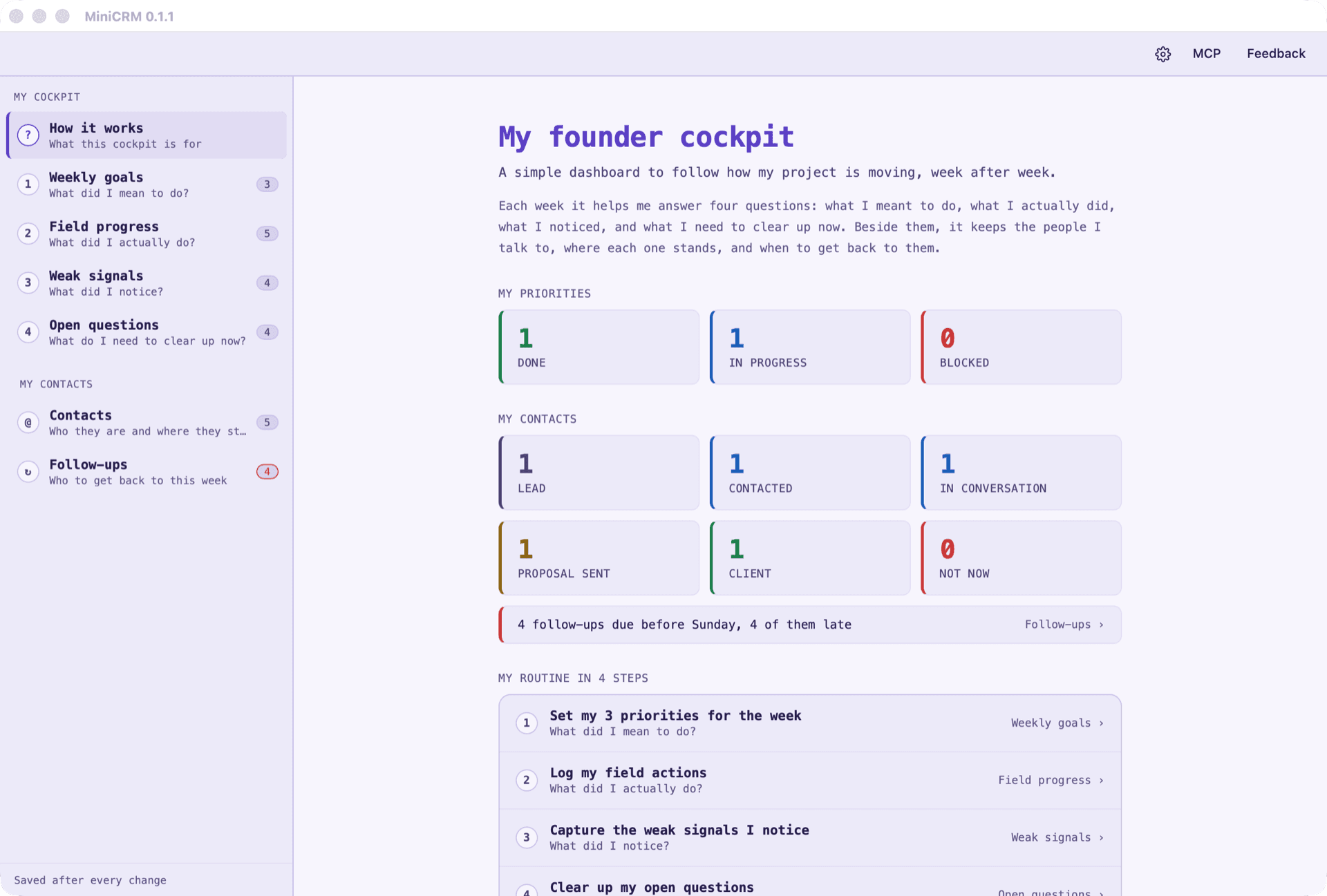
Four tables answer the questions of the week: what you meant to do, what you actually did, what you noticed and what needs clearing up. Beside them, your contacts from Lead to Client and everyone to get back to before Sunday. Posts published from PublishKit are logged on their own, and Claude can read and update the cockpit.
Free for personal, educational and non-profit use. Commercial use — including a solo consultant on client work — requires a licence. Every build is produced by release CI and served from mayorana.ch.
The macOS build is signed with an Apple Developer ID and notarized, so it opens with a normal double-click.
Or install from a terminal
curl -fsSL https://mayorana.ch/install/minicrm.sh | shirm https://mayorana.ch/install/minicrm.ps1 | iexThis app is in beta. The core workflow is stable; some panels are still being refined.
Use it from Claude Code or Codex
Run this line in a terminal to add MiniCRM's MCP server to Claude Code for every project. Then ask Claude about it in chat.
claude mcp add minicrm --scope user -- "/Applications/MiniCRM.app/Contents/MacOS/minicrm" mcpclaude mcp add minicrm --scope user -- "%LOCALAPPDATA%\Programs\MiniCRM\minicrm.exe" mcpclaude mcp add minicrm --scope user -- "$HOME/minicrm-linux-x86_64/minicrm" mcpThe paths are where the installer puts MiniCRM; on Linux, where you extracted the archive. Installed elsewhere? The MCP button in MiniCRM gives the lines with its actual path, and the text for Claude Desktop. In PowerShell, write $env:LOCALAPPDATA instead of %LOCALAPPDATA%.
Overview
Starting a business on your own means doing the work, promoting it and keeping track of both. Goals sit in one note, the messages you sent in another, the people you talked to in a spreadsheet, and the week's review never quite happens because nothing is in one place.
MiniCRM is a weekly cockpit with four tables, each answering one question: Weekly goals (what did I mean to do?), Field progress (what did I actually do?), Weak signals (what did I notice?) and Open questions (what do I need to clear up now?). Beside them, Contacts keeps who each person is, where you found them and their stage, from Lead to Client, and Follow-ups lists everyone to get back to before Sunday, the late ones first.
It sits beside PolishCast, TrackCut and PublishKit, which make and publish the content: a post that goes out from PublishKit is logged in Field progress on its own, so the week's review has the content and the people it reached in one place.
What it does
Four questions, one table each
Weekly goals, Field progress, Weak signals and Open questions. How it works, the page it opens on, explains the routine in four steps and counts the priorities that are done, under way and blocked.
Contacts and follow-ups
Every action names the person it was with, and a contact's editor lists what you did with them. Set a follow-up date and the Follow-ups page shows who to get back to before Sunday; the sidebar turns red when one is late.
Your content, logged on its own
Posts published from PublishKit appear in Field progress on the day they went out. Any goal or action can point at a video or post from PolishCast, TrackCut or PublishKit and open it in the app that made it.
Import from LinkedIn, a spreadsheet or Notion
Import CSV matches the file's headings to the table's columns, LinkedIn's connections export included, without adding a contact twice. Export CSV saves any table.
From Claude or Codex
MiniCRM's MCP server lets Claude read your week, update contacts, log what you did with someone and set follow-ups. It asks before deleting anything, and an open window shows its changes.
Requirements
- macOS (Apple Silicon or Intel), Windows 10 or 11 with the WebView2 Runtime, or Linux x86_64
- Nothing else: no account and no server. The cockpit is a file on your computer
- For the MCP server: Claude Desktop, Claude Code or Codex
Built with
Rust · Dioxus · JSON · CSV
What's new
Version 0.1.5, released 15 November 2026. MiniCRM ships often; every version and what it changed is listed on the release notes page.
Read the release notesLicence
Source-available under the PolyForm Noncommercial License 1.0.0: free for personal use, learning, research and hobby projects, and for charities, schools, universities and government institutions. Companies using it for work buy a licence.
Source
The source is public and readable. Fork it and rebrand it — the name and logo are trademarks and are not covered by the licence.
View on GitHubQuestions
Where is my data kept?
In one file, cockpit.json, in MiniCRM's data folder on your computer. Settings shows where it is. Everything is saved as you type, and copying the file duplicates the cockpit.
Do I need PolishCast or PublishKit?
No. The tables, contacts and follow-ups work on their own. The other apps only add the videos and posts they make to the actions and goals that mention them.
Can I bring my LinkedIn contacts over?
Yes. Export your connections from LinkedIn and open the file with Import CSV on Contacts. Spreadsheets and Notion exports work the same way, and a contact already in the cockpit is not added twice.
Questions about this tool?
Ask about a commercial licence for your team, report an issue, or tell us what is missing. We read every message.
Get in touch